How to Organize a Medication List for Caregivers and Family
 Apr, 25 2026
When a loved one takes five or more different drugs, the risk of a dangerous adverse event jumps by 88%. For many caregivers, managing a complex regimen isn't just about remembering a pill-it's about preventing a crisis. In the US alone, medication errors contribute to roughly 7,000 deaths every year. Most of these happen not because of bad intent, but because of simple gaps in information, like a missing note about whether a pill needs to be taken with food or a forgotten dose during a hospital transition.
The goal here isn't just to make a list; it's to build a fail-safe system. Whether you're dealing with senior medications or managing a chronic condition for a family member, having a centralized, accurate record is the single most effective way to stop duplicate therapies and catch inappropriate drug combinations before they reach the patient.
Quick Takeaways for Caregivers
- The Gold Standard: Use a hybrid system-a digital backup for ease of updates and a laminated paper copy for emergencies.
- Critical Data: Always include the generic name, exact dose, purpose, and a "stop date" for temporary prescriptions.
- Review Cycle: If your loved one takes five or more meds, schedule a professional pharmacist review at least every three months.
- The "Brown Bag" Trick: Bring every single physical bottle to appointments to ensure the list matches reality.
What Exactly Goes on a Professional Medication List?
A simple list of names isn't enough. To truly prevent errors, you need a granular level of detail. According to the FDA the U.S. Food and Drug Administration, nearly 92% of medication errors stem from missing details about timing or food requirements.
Your list should be structured as a table with the following columns:
| Attribute | What to Record | Why it Matters |
|---|---|---|
| Medication Name | Brand and Generic (e.g., Lipitor / Atorvastatin) | Prevents duplicate therapies. |
| Exact Dosage | The specific strength (e.g., 10mg, 5ml) | Prevents dosing errors. |
| Frequency & Timing | Twice daily, 8 AM and 8 PM | Ensures consistent blood levels. |
| Purpose | e.g., "For high blood pressure" | Helps caregivers identify the drug's goal. |
| Special Instructions | "Take with food" or "Do not crush" | Crucial for drug absorption. |
| Prescribing Doctor | Name and contact of the physician | Quick communication during emergencies. |
| Stop Date | The end date for antibiotics or steroids | Prevents unnecessary long-term use. |
Don't forget to include a section for allergies. This simple addition prevents over a million adverse reactions annually. Also, consider adding the National Drug Code (NDC) a unique product identifier for drugs in the US. Pharmacists love this because it reduces dispensing errors by nearly 30%.
Step-by-Step: Building Your Organization System
Setting this up takes a few hours of focused work, but it will save you hundreds of hours of stress later. Follow this sequence to ensure nothing slips through the cracks.
- The Grand Inventory: Spend 2-3 hours gathering every single pill, bottle, and blister pack in the house. Check bedside tables, purses, and old bags. If it's in the house and the patient takes it, it goes on the list.
- The Documentation Phase: Use the attributes mentioned in the table above. Spend at least 10 minutes per drug to double-check the label against the pharmacy printout.
- Chronological Mapping: Organize the list by the time of day. Instead of grouping by "Blood Pressure" or "Diabetes," group by "Morning," "Midday," and "Evening." This mirrors the actual workflow of giving the medication.
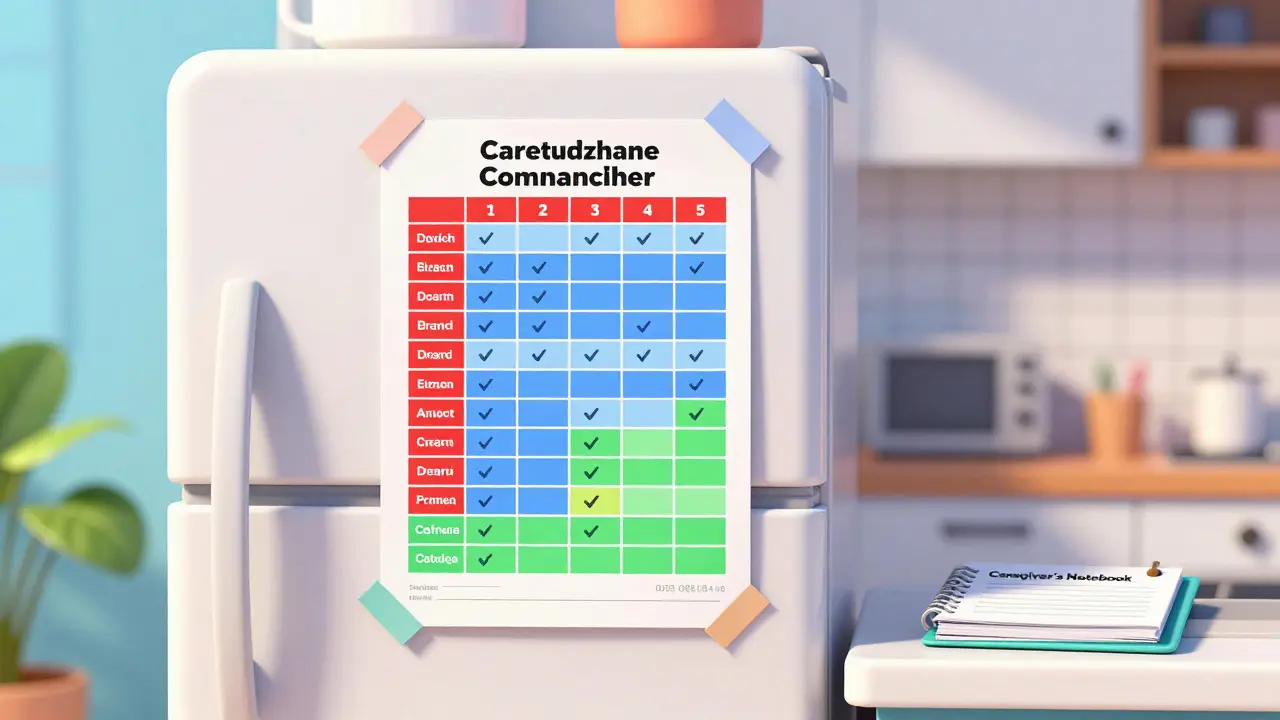
- Create Your Copies: Make a master digital version (using an app or spreadsheet) and a physical version. I recommend laminating the physical copy and taping it to the inside of a pantry door or the fridge.
- Establish an Update Protocol: Set a recurring calendar alert for Sunday evenings. Spend 15 minutes reviewing the list. If a doctor changes a dose on Tuesday, update the list within 24 hours. Outdated records are linked to nearly 80% of senior hospital readmissions.
- The Provider Loop: Share the final list with every specialist the patient sees. When a cardiologist changes a med, the primary care doctor needs to know immediately.
Choosing Your Tools: Paper vs. Digital
There is a tug-of-war between old-school paper and modern apps. The right choice depends on the complexity of the regimen and your own tech comfort.
Paper lists are the most common, used by over 60% of caregivers. They are reliable and work during power outages. However, they become clumsy once you hit seven or more medications. For high-complexity cases, digital tools like Medisafe a medication management app providing reminders and tracking can reduce error rates by 42% because they offer active alerts.
But here's the reality: many caregivers over 65 find apps frustrating. If a complex interface makes you want to quit, don't force it. A great middle-ground is the "Caregiver's Notebook"-a three-ring binder with tabs for medications, doctor notes, and questions. It's a physical system that's easy to update and easy to carry to appointments.
Dealing with the "Tricky" Stuff: PRNs and Supplements
Not every medication follows a strict schedule. "As needed" medications (known as PRN) often cause the most confusion. If you list a PRN drug on your main daily schedule, the list becomes cluttered. Instead, create a separate PRN Log. This log should track when the drug was given, why it was given (e.g., "severe headache"), and if it worked. This data is gold for doctors when they decide if a dose needs adjusting.
Then there are supplements and over-the-counter (OTC) vitamins. Many family members treat these as "optional," but they can cause dangerous interactions with prescription drugs. Treat every fish oil pill or herbal supplement as if it were a prescription. Record the brand, dosage, and purpose. A pharmacist can tell you if that "natural" supplement is actually blocking the effectiveness of a heart medication.

Common Pitfalls and How to Avoid Them
Even the best systems can fail during transitions. The most dangerous time for a patient is the 48 hours after leaving a hospital. Often, discharge instructions conflict with the home list. To fix this, use the "Brown Bag Method." Put every single medication in a physical bag and bring it to the discharge meeting. Force the doctor to look at the actual bottle and the list side-by-side.
Another common mistake is relying on a single provider to coordinate care. If your loved one sees a cardiologist, a nephrologist, and a GP, don't assume they are talking to each other. Designate one provider-usually the primary care physician-as the "Medication Coordinator." Every change made by a specialist must be approved by and recorded by this coordinator.
How often should I review the medication list with a professional?
For anyone taking five or more medications, you should have a full medication review with a pharmacist at least once every quarter. This helps identify "prescribing cascades," where a new drug is prescribed to treat a side effect of an old drug, which can lead to a dangerous cycle of polypharmacy.
What should I do if the pharmacy is out of a drug and gives a substitute?
Immediately update both your digital and physical lists. Record the new name and the reason for the switch. If the substitute is a different generic brand, check if the dosage is identical. Always notify the primary prescribing physician that a substitution was made by the pharmacy.
Can I use a color-coding system for my medication list?
Yes, and it's highly recommended. Many caregivers use red for critical heart/blood pressure meds, blue for sleep/anxiety, and green for supplements. This visual shorthand helps you quickly verify that the right pill is being given at the right time, reducing errors by up to 65% in some home care settings.
How do I handle medications that must be refrigerated?
Add a "Storage" column to your list. Clearly mark medications as "Fridge" or "Room Temp." Since about 37% of medications require temperature control, failing to track this can lead to the drug losing its potency or becoming dangerous.
What is the best way to share this list with emergency responders?
Keep a laminated copy of the list in a consistent, visible location-like on the refrigerator or in a "Medical File" by the front door. You can also put a small card in the patient's wallet that states: "Full medication list is located on the refrigerator." This ensures paramedics have the info they need even if you aren't there.
Next Steps for Your Setup
If you are just starting, don't try to build the perfect system in one hour. Start by doing the "Grand Inventory" today. Once you have everything on a piece of paper, move to the chronological mapping. If you find that managing more than seven medications is becoming overwhelming, contact your pharmacy to ask about "medication synchronization" services, which can align all refill dates to a single day and automatically update your records.
Carol Yang
April 27, 2026 AT 02:40This is such a lifesaver for anyone feeling overwhelmed right now. Just take it one step at a time and you've got this!
Michael Deane
April 28, 2026 AT 03:26The FDA and these big pharma companies just love to make everything complicated so we have to buy their expensive apps, but honestly, the only thing that ever worked for my old man in the heartland of America was a damn piece of paper and a sharp pencil, and I don't care what some fancy digital system says because the American way of doing things is about keeping it simple and not letting some Silicon Valley genius tell us how to manage our own family health without a subscription fee!
Brittney Prince
April 29, 2026 AT 21:05Sure, follow the FDA's "gold standard" if you want to be tracked. They just want a digital record of every pill you take so they can monitor your biological data and see who's actually following the script. It's all a giant data collection scheme and these apps are probably just spying on your home habits for the insurance companies to hike your premiums based on how often you're hitting the pill bottle.
Vijay AGarwal
April 30, 2026 AT 11:26LISTEN UP EVERYONE! The Brown Bag method is absolutely CRITICAL! I have seen the absolute chaos that ensues when a patient arrives at the ER and the family is just guessing the dosages! It is a total nightmare! You cannot possibly overstate the danger of a missing generic name when a patient is in critical condition! Please, for the love of everything, grab every single bottle in the house and bring them to the doctor!
Jon Moss
April 30, 2026 AT 22:37I've been through this with my dad and it's honestly just a heavy burden to carry. The chronological mapping part really helps take the edge off the daily stress.
Nila Sawyer
May 1, 2026 AT 20:17Omg this is just so wonderful and helpful! 🌟 I absolutely love the idea of color-coding because it makes the whole process feel so much more organized and less scary for the elderly 🌈✨. We can all work together to make sure our loved ones are safe and sound and happy in their golden years and it just takes a little bit of patience and love to get the system running perfectly for everyone involved! ❤️💪
James Harrison
May 2, 2026 AT 00:27It's interesting how we try to systematize care. We're basically trying to create a bridge of information where the human element often fails. Just gotta respect the patient's autonomy while keeping them safe.
Nikita Shabanov
May 2, 2026 AT 01:20Adding the NDC code is a very professional touch that many overlook. It eliminates the ambiguity that comes with similar-sounding drug names, which is where the most dangerous errors usually occur in a clinical setting.
Beena Garud
May 3, 2026 AT 03:20The pursuit of a fail-safe system is an admirable endeavor, yet one must contemplate the inherent fragility of any human-managed record. The dichotomy between the digital and the physical manifests a deeper need for redundancy in the face of mortality. It is a testament to our devotion that we meticulously catalog these chemicals to extend the flicker of existence. The structure provided here serves not only as a clinical guide but as a ritual of care. We must recognize that the act of organizing is, in itself, an expression of love and duty. To overlook a single dosage is to risk the equilibrium of a life. Thus, the rigor of this process is a moral imperative. The pharmacist's review is a necessary check against the hubris of individual prescribing. Each column in the table represents a safeguard against the void. We are navigating a complex web of biochemistry and bureaucracy. The laminated sheet is a fragile shield against chaos. It is through such diligence that we honor our elders. The burden of the caregiver is a heavy one, but the clarity of a list provides a momentary respite from the anxiety of the unknown.
sachin singh
May 3, 2026 AT 21:43The emphasis on the medication coordinator is quite a prudent strategy. Ensuring a single point of contact prevents the fragmentation of care that often occurs with multiple specialists.